







Finally, a websiteyou can build yourself.

A step-by-step guide that takes you from a blank screen to a live professional business website that you fully own.

  • Without coding
  • Without an expensive designer
  • Without monthly fees

Each lesson shows you what to do next,until your website is ready to go live.

4.95/5·159 client reviews·575 clients

Your business is real.It’s time your website was too.

You’ve put time, effort and money into building your business.

You have customers.You know your trade.You know the value of what you offer.

But when someone asks for your website,
what do you send them?

Your Facebook page?

An Instagram profile?

Or perhaps nothing at all?

You’ve probably thought about getting a proper website. Maybe you’ve even looked into it.

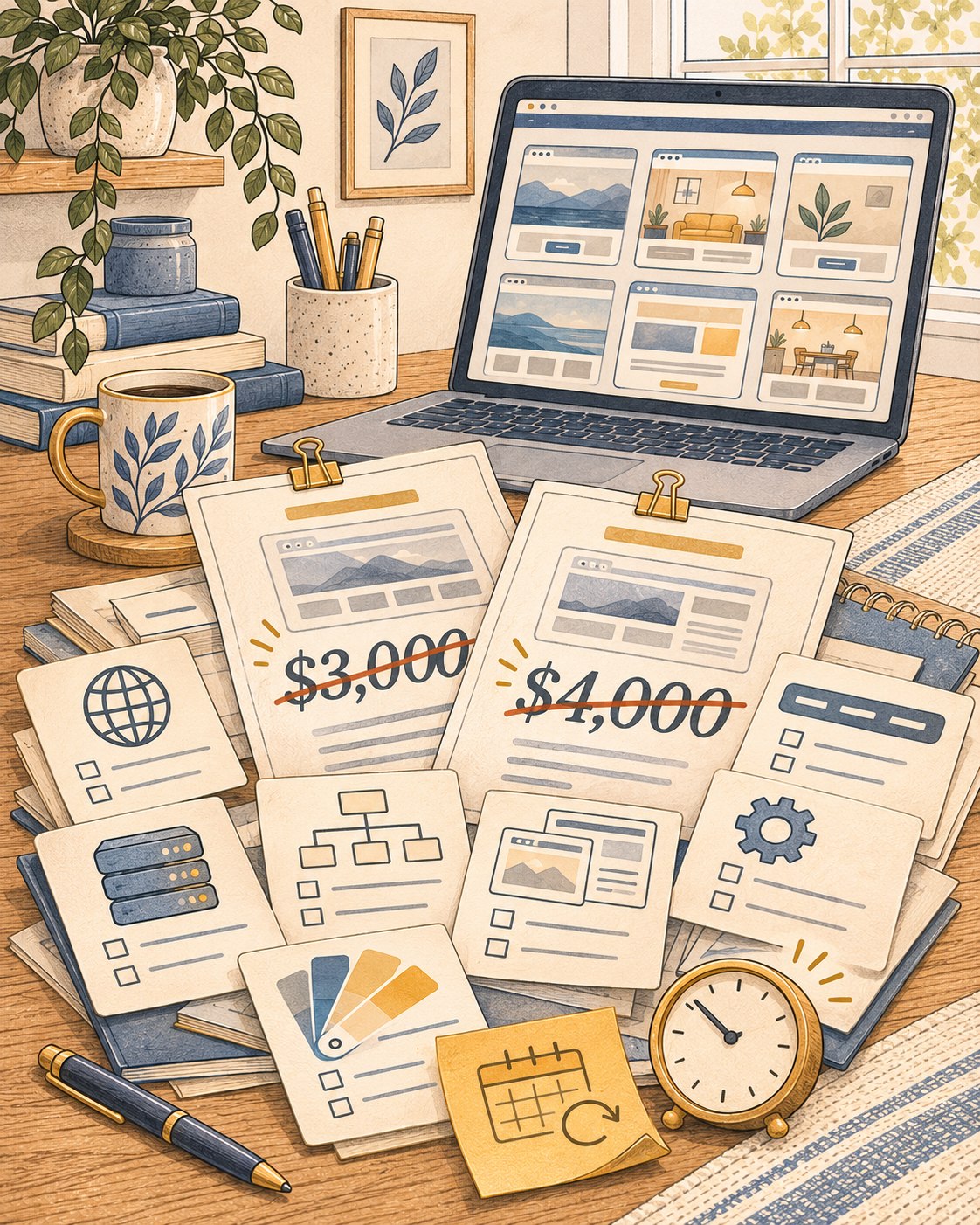
Then came the quotes: $3,000, $4,000, sometimes even more.

Or you tried a website builder, only to find yourself surrounded by templates, settings and technical terms you don’t understand.

And so the project gets postponed.

Again.

You don’t need to keep putting it off.And you don’t need to spend thousands to get started.

You can build your own website.You just need a clear path to follow.

A crowded desk of website quotes, templates and setup tasks illustrates the burden of starting alone
Image slot: images/pain-story.jpg
Right-side illustration · 4:5 portrait
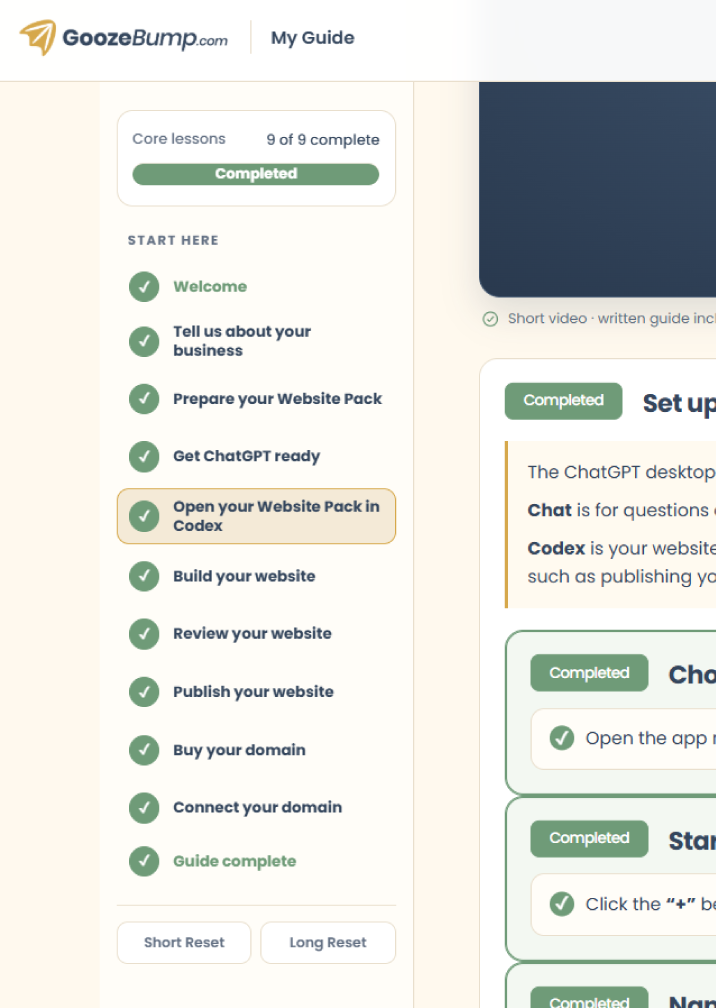
Preview of the Webzprout lesson dashboard
Image slot: images/dashboard-preview.png
Dashboard preview · portrait

Meet Webzprout

A guided website-building method that combines your business knowledge with a custom design brief, advanced AI design tools, and automated publishing guidance.

Webzprout asks the right questions, turns your data into a custom design brief, and pairs it with the most advanced AI design modules for web design, images, and logos. Once the brief is ready, one simple, pre-set command tells your AI to build the website around it.

You bring the knowledge of your business.Webzprout turns it into the best website for you.

You create your account and follow the lessons at your own pace. Your progress stays visible, and each lesson brings together the instructions, videos and tools you need for that task.

  • Without jumping between YouTube videos.
  • Without searching through endless tutorials.
  • Without guessing which step comes next.

Focus on the lesson in front of you, and keep moving toward your finished website.

Interior Design — Mockup websiteClick image to view full page

What will your website look like?

You don't need a huge, complicated website to make a good impression.

For most small businesses, a few well-organised pages are enough to get started.

Your website can include:

  • Home — Introduce your business and make a strong first impression.
  • Services — Explain what you offer and how customers can work with you.
  • About — Tell people who you are and why they should choose your business.
  • Contact — Give visitors an easy way to reach you.
  • Map — Help local customers find you.

You can also include links to your existing booking service or social media accounts.

A clear, professional online home for the work you’re proud to do.

You don't need to be a technical person to do this.

You might be wondering:

  • “What if I’ve never built a website before?”
  • “What if I don’t understand hosting?”
  • “What if I mess something up?”

Each lesson focuses on one task, so you can concentrate on the step in front of you without needing to understand the whole process first.

Worried about the technical steps?

Each lesson shows you where to click and what to enter. When ChatGPT needs a detailed instruction, copy the ready-made prompt from the lesson and paste it in. You don’t have to write complicated AI commands yourself.

You’re not expected to become a developer. You’ll learn a practical way to create and manage your own business website.

A thoughtful small-business owner works through a website checklist beside his laptop
Image slot: images/confidence-checklist.jpg
Owner following a short checklist · landscape
Friendly, professional headshot of Oakbrand
Image slot: images/oakbrand.png
Friendly, professional headshot · portrait

A quick introduction from the person behind Webzprout

Hi, I'm Oakbrand.

I started out in programming.I studied it at university for two years and worked as a programmer in two companies for almost two years, using C++, Perl and Python.

For the past 14 years, my work has focused primarily on branding and web design.

That combination gave me an appreciation for both sides of a website: how things work behind the scenes, and how to make them clear and approachable for the people using them.

From day one, my goal was simple:

  • to help you create the best website for your business,
  • in the shortest time possible,
  • at the lowest cost.

And here's something you might find interesting:

The website you're browsing right now was built using the very same method I'm about to teach you.

A little proof that you're in good hands

Reviews from my branding and web design clients.

4.95/5
159client reviews
575clients

Here's what some of those clients had to say.

★★★★★

They understood our vision.

“The designer truly understood our vision and brought it to life with creativity and professionalism. The process was smooth, and the final result exceeded our expectations!”
joerg.andermanWVerified Review

★★★★★

Patient, thoughtful and easy to work with.

“Wonderful to work with. Very patient and kind.”
sarahWVerified Review

★★★★★

Great guidance, even for a non-designer.

“Clean, simple design to capture a complex challenge. Oakbrand is clearly passionate about design and was able to lead a non-designer through to a longstanding final product. Highly recommend.”
Anonymous clientVerified Review

★★★★★

Responsive from beginning to end.

“Oakbrand was so responsive from beginning to the end and quick to apply any feedback.”
mreed186Verified Review

That same thoughtful approach is built into Webzprout.

Why pay for a website every month when you can learn to own one?

A simple business website may go months—or even years—with only an occasional update.

When your paid website-builder plan ends, you lose the paid version of your site. Some providers take it offline; others downgrade it to a restricted free version, often removing your custom domain and paid features. Moving the full website elsewhere often means rebuilding it.

Webzprout teaches a different approach.

  • Your website is built from files that you control, using your own accounts and your own domain.
  • The website setup taught in the guide works without monthly fees.
  • You can access your website files, make changes and publish updates yourself.

You're not just getting a website.

You're learning how to manage an online asset that belongs to you.

What a simple website plan costs over time

US monthly rates held constant · domain excluded

Wix Light · $24/month
Squarespace Basic · $25/month
Webzprout · $28 one-time access
Cumulative cost of a simple website plan over five years The chart starts at the first monthly payment: 24 dollars for Wix Light, 25 dollars for Squarespace Basic, and 28 dollars for Webzprout. Assuming monthly rates stay the same, after five years Wix costs 1,440 dollars and Squarespace costs 1,500 dollars. Domain costs are excluded. $0 $300 $600 $900 $1,200 $1,500 0 1 2 3 4 5 Years Total paid (USD) $1,500 $1,440 $28

Is Webzprout right for you?

Webzprout is designed for people who want an essential, professional website for their business and are happy to follow instructions to build it themselves.

It's a great fit for:

  • Illustration of a welcoming neighborhood storefront
    Image slot · local business

    Local businesses and service providers.

  • Illustration of a freelancer working on a laptop
    Image slot · freelancer

    Freelancers and independent professionals.

  • Illustration of a service business owner beside a work van
    Image slot · small business

    Small business owners.

  • Illustration of a creative professional with a camera and portfolio images
    Image slot · portfolio

    People building a portfolio.

  • Illustration of a person using a phone
    Image slot · DIY website

    Anyone who wants a website without hiring an agency.

It's not intended for complex ecommerce stores, advanced booking systems, web applications or custom platforms that need a backend.

A few things you might be wondering

  • Do I need coding experience?

    No. The process is designed for beginners and doesn't require you to write code. You'll be using guided instructions and AI-assisted tools to help create your website.

  • Will you build my website for me?

    No. You create it yourself with ChatGPT, using Webzprout’s instructions and ready-to-use prompts. The Complete Guide also uses AI automation to help you publish your site on your own domain.

  • Do I need to buy hosting?

    The website setup taught in the guide works without monthly fees. You will need your own domain, and optional services such as business email may cost extra.

  • Will I own my website?

    You'll create your own accounts, register your own domain and manage your website files. The method is designed to keep those things under your control rather than tying your website to a subscription website builder.

  • Can I edit my website later?

    Yes. The guide includes instructions for editing your website and publishing updates. You'll be able to return to your files and make changes whenever you need to.

  • Will my website automatically appear at the top of Google?

    No. Publishing a website doesn't guarantee search rankings or visitors. Your website gives your business an online presence, but search visibility takes additional work.

  • How long does it take?

    Creating your website typically takes 1–2 hours. Publishing it on your own domain typically takes another 1–4 hours, for about 2–6 hours total. Your exact time depends on your experience and how ready your business details and images are. You can work through the guides at your own pace and pause whenever you need.

  • What happens if I get stuck?

    The lessons include troubleshooting guidance to help you understand and resolve common issues.

  • Do I need to pay for an AI subscription?

    No. The guide is designed to work with ChatGPT Free. ChatGPT Plus is optional; in the US, it currently costs $20 per month. See plan details.

  • What does a domain cost?

    Domain registration is separate from the guide. At Cloudflare, a standard .com currently costs $11.17 to register and $11.17 per year to renew. Other domain endings and providers have different prices. Check current domain prices.

You're closer to having your own website than you think.

I don't want you to buy this guide, get excited for a day, and leave your website unfinished. That's why I made the steps simple and easy to follow—so you can finish and think:

“Why didn't I do this sooner?”

You’ll have a website you can share with customers,and the satisfaction of knowing you made it happen yourself.

When another business, project, or idea comes along, you won’t be starting from zero.

Your website. Your skills. Your accomplishment.

Choose your starting point

Start with the free guide, or get the complete guide to create and launch your website.

Free

Create Your Website

Build and edit one website with AI.

Free

No credit card needed

  • Create from scratchBuild your first website step by step.
  • Make your own editsChange the design, words, and pictures.
  • Better-looking designUse design resources to guide the AI.
  • Ready-made promptsKnow what to ask at each step.
  • Keep full ownershipYour files. Your website.
  • Takes 1–2 hoursCreate your first site with guided steps.

Coming soon

Grow Your Website

More capabilities for your growing business.

Coming soon

Offer details are in development

  • Advanced toolsDo more with your website.
  • More automationSimplify more website tasks.
  • Additional widgetsGive visitors more ways to connect.
Coming soon
14 days
money-back
guarantee
Secure
payment
Lifetime
access
Recently
updated

Limited beta access

Build and publish
your website for free

Join the beta to get the Complete Guide Free
in exchange for private feedback.

FREEComplete Guide accessCreate your website and publish it on your own domain.

Finish both guides within 7 days to keep your beta access.
If you need more time, you can unlock the guides later with the $28 Complete Guide.

Checking remaining beta spots…

Choose the computer you want a beta spot for:
Continue with the Free Guide

We’re here to help

Contact Webzprout

Send me a message and I’ll reply to the email address you provide.

Please don’t include passwords, payment details, or private customer information.